Showing posts with label Radio. Show all posts

Receive weather station data with Arduino

 Posted by:   Posted on:    6 comments

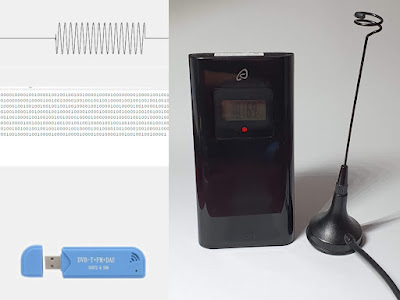
A while ago (to be more specific two years ago) I used software defined radio to capture and decode RF signal from the outdoor unit of a weather station. This allowed me to emulate the protocol with an Arduino and a cheap 433.92 MHz transmitter and send my own data to the indoor station. I can make my own units if the original outdoor unit fails. The outdoor unit uses on-off-keying (OOK) and sends pulse distance modulated bits, explained in detail in the linked post.

But what about receiving data from outdoor unit(s) with an Arduino? One can add an ESP8266 to capture temperature and humidity and publish data to MQTT, Home Assistant or other IoT servers. Capturing and analyzing pulse timings of a signal was a daunting task for me. However it turned out to be easier than I thought, using an interrupt routine. In this post, I'll explain all the steps required to make a pulse distance modulation (PDM) decoder.

Send data to weather station over 433.92 MHz

 Posted by:   Posted on:    7 comments

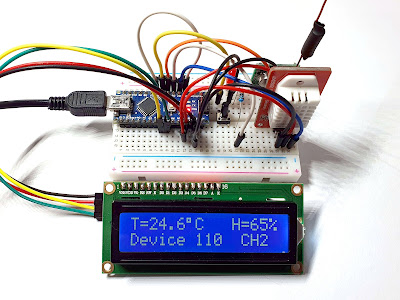
In a previous post I used a software defined radio (SDR) to analyze and decode data transmission over 433.92 MHz of a simple weather station. As I mentioned then, the indoor unit can receive data from up to three outdoor units. I found that outdoor units use basic OOK modulation to send data to indoor unit. Knowing this I can make my own outdoor unit using a 433 MHz transmitter module controlled by an Arduino.

Obviously, I had to use a temperature and humidity sensor such as DHT11, DHT22, AM2302 to get environment parameters. I emulated full original outdoor unit functionality by adding a display and a push button to trigger immediate transmission of data to indoor unit.

Send data to weather station over 433.92 MHz
Arduino based data transmission device

Decode 433.92 MHz weather station data

 Posted by:   Posted on:    10 comments

I bought a simple weather station, with temperature and humidity display for indoor and up to 3 wireless outdoor sensors (sold with only one though). Unfortunately, the one I got, had a non-functional outdoor sensor. I took it back to the store and got a replacement for the entire product. The outdoor sensor can be hanged on a wall with a small screw, but it can easily fall down.

Given the facts I initially got a broken sensor, the weather station can receive data from up to 3 sensors and because sensors are exposed to outdoor conditions, I decided to analyze the wireless protocol and maybe build my own device which will be able to emulate this kind of sensor. There is no information about wireless protocol of this weather station (sold by Lidl in Europe under the Auriol brand), except the frequency: 433.92 MHz. That was all I needed. And a software defined radio (I used RTL2832U dongle).

Decode 433.92 MHz weather station data

Play audio streams on OpenWrt (Internet Radio)

 Posted by:   Posted on:    2 comments

I own some old ADSL modems that are no longer suitable for modern networks. OpenWrt can be installed on them, but they are limited by hardware to 100 Mbps LAN and 54 Mbps WiFi. Therefore, using these devices as routers, network attached storage or anything else that requires high transfer speeds is no longer wanted. Fortunately, OpenWrt comes with many software packages available to install using its included package manager.

One of the tasks that are suitable for most low-speed OpenWrt routers is audio playing. However, there are some hardware requirements. You need a router on which you can install OpenWrt firmware. It must have at least 8 MB flash storage memory and, the most important: at least one USB port. I haven’t heard of routers with audio output, yet there are plenty with USB ports (for GSM modem or USB storage). With an USB sound card and proper software, you will be able to play audio from any OpenWrt router. In this post I will talk about internet radio streams. However, if you have an extra USB port or you plan to use a hub, you may also play music files from USB drive.

USB audio card plugged in the USB port of the router

USB audio card plugged in the USB port of the router

Receive FT8 with WSJT-X and Gqrx (Linux)

 Posted by:   Posted on:    6 comments

FT8 has become the most popular data mode for ham radio. It is a digital mode created by Joe Taylor, K1JT and Steve Franke, K9AN which uses 8-FSK modulation. A transmission lasts for exactly 12.64 seconds and occupies about 50 Hz bandwidth (8 tones at 6.25 Hz spacing). FT8 works very well even with a lot of noise and it is simple to receive and transmit using the computer soundcard and SSB transceiver.

This post will focus on receiving only. We'll decode FT8 messages using HackRF hardware with software defined radio (SDR) application. However, SDR tools come with support for common analog modulation. For FT8 decoding and generation there is WSJT-X software, but this one accepts only audio input. So, I'll be using a SDR application (Gqrx) set to SSB (upper side band) demodulation and I will pipe its audio output to WSJT-X. The latter can be configured to automatically set the frequency of the SDR software. Besides configuration, a virtual audio cable is needed.

Receive FT8 with WSJT-X and RTL-SDR

Mods and improvements to the SPF5189Z LNA board

 Posted by:   Posted on:    8 comments

The SPF5189Z is a high-performance pseudomorphic high-electron-mobility transistor (pHEMT) monolithic microwave integrated circuit (MMIC) low noise amplifier (LNA) designed for operation from 50MHz to 4000MHz. Since the chip has a small SMD capsule and to avoid damage from improper soldering tools I bought a couple of boards based on SPF5189Z. With its large bandwidth, this LNA can be used to improve the reception of my RTL-SDR. Usage is not limited to SDR, this amplifier can boost FM radio or TV signals. TO get the best results, I had to mount it as close as possible to the antenna. By studying the datasheet and looking at the boards I have bought, I realized that design wasn't quite made for what I wanted to achieve.

First of all, power is supplied separately, not over coaxial cable. To fix this, I would have to build a bias tee circuit. But, before doing this, I took off the metal cover off only to find that to power SPF5189Z, they used a bias tee circuit. So, I would have to add another one just to redirect DC back to the RF line. Secondly, the RF input is capacitor coupled. Just that. No ESD protection. I'll have to do something with this too.

Mods and improvements to the SPF5189Z LNA board

The SPF5189Z LNA board

Receive FT8 with WSJT-X and SDRSharp (Windows)

 Posted by:   Posted on:    No comments

FT8 has become the most popular data mode for ham radio. It is a digital mode created by Joe Taylor, K1JT and Steve Franke, K9AN which uses 8-FSK modulation. A transmission lasts for exactly 12.64 seconds and occupies about 50 Hz bandwidth (8 tones at 6.25 Hz spacing). FT8 works very well even with a lot of noise and it is simple to receive and transmit using the computer soundcard and SSB transceiver.

This post will focus on receiving only. We'll decode FT8 messages using Realtek RTL2832U hardware with software defined radio (SDR) application. However, SDR tools come with support for common analog modulation. For FT8 decoding and generation there is WSJT-X software, but this one accepts only audio input. So, I'll be using a SDR application (SDR# on Windows, Gqrx on Linux) set to SSB (upper side band) demodulation and I will pipe its audio output to WSJT-X. The latter can be configured to automatically set the frequency of the SDR software. Besides configuration, a virtual audio cable is needed, as well as virtual serial ports (on Windows only).

Receive FT8 with WSJT-X and RTL-SDR

How to Count Frequency with Arduino

 Posted by:   Posted on:    5 comments
Counting frequency using an Arduino seemed like an easy task. But most people like to do it the easy, but wrong way: using pulseIn to measure width of a pulse. This limits the maximum frequency that can be measured to about 50 kHz. Besides that, the function samples only a cycle of the signal.

A good way of measuring frequency is by counting input signal transitions that happen in a specific amount of time. This requires knowledge of timers and interrupts. The method is more difficult to implement and to do it right you need to set some registers.

This has been done before and although it was hard to find, I discovered code that can count frequencies up to 8 MHz if the input signal has a duty cycle of 50%. The only drawback is that frequency input pin is fixed to digital pin 5. The upper range is however not limited to only a few MHz. With some extra hardware (a prescaler IC) frequencies of hundreds of MHz can be measured with enough accuracy.
How to Count Frequency with Arduino

Antenna switch with PIN diodes

 Posted by:   Posted on:    No comments

A PIN diode is a diode with a wide, undoped intrinsic semiconductor region between a p-type semiconductor and an n-type semiconductor region. At high frequencies, the diode behaves as a resistor. The high-frequency resistance is inversely proportional to the DC bias current through the diode. Therefore, if suitably biased, the PIN diode acts as a variable resistor. It has low reverse capacitance, that will attenuate RF signal, unless the diode is forward biased. These properties make it suitable for RF switches.

The device presented here can be used to switch two antennas. It can prove useful in a number of situations. You can have a VHF and a UHF antenna, or you can have two similar antennas that are pointed in opposite directions for different signals. This switch does not require an extra cable and does not cause significant signal losses. A low DC voltage is sent over the coaxial cable to forward bias one diode. If the polarity of this voltage is reversed, then the other diode will be biased.

Lightweight ACARS decoders for RTL-SDR

 Posted by:   Posted on:    No comments
ACARS is a digital data link system for the transmission of messages between aircraft and ground stations. The transmissions usually take place in VHF band, between 130 and 137 MHz. The wide availability of cheap software defined radios makes it easy for anyone to receive and decode ACARS transmissions. Since RTL2832U based USB sticks are the cheapest SDR hardware this is what I will use for reception. There are many tutorials on this subject and most of them involve piping an audio stream from a SDR application to an ACARS decoder application. This is not reliable and takes a lot of resources. More than that, by selecting one frequency, demodulating it and sending the audio stream to ACARS decoder software you are limited to that single frequency.

But there are a few tools that work directly with RTL-SDR hardware, are free, cross-platform and perform ACARS demodulation. More important than that, the software tools you will see here can listen to multiple frequencies at once. The only requirement is that those frequencies should fit in the bandwidth of RTL-SDR (about 2.4 MHz).

Lightweight ACARS decoders for RTL-SDR

Transmission line baluns for VHF and UHF

 Posted by:   Posted on:    3 comments
A balun is a device that converts a balanced signal to an unbalanced signal. Depending on construction, a balun may transform impedance too and may be used for connecting signal lines of different impedances. In radio applications, baluns are used most of the time for adapting a transmission line to the antenna. This post will show you some easy to build baluns, designed for receiving antennas working in VHF and UHF radio and television bands. However, these baluns can be also used for transmitting antennas. They are easy to build because you only use cables similar to the antenna feeder cable.

Most used antenna class for all radio communications is the dipole. Since it's called a dipole, it has two connection points. Therefore it is suited for balanced signals. The antenna can be connected to a receiver using a twin lead cable. But in this case the receiver must have balanced input and similar impedance with the antenna. But the most used type of cable is the coaxial type, which is unbalanced and has a different impedance too. Let's see what are the basic types of connections between the antenna and the feeder cable.

Transmission line baluns for VHF and UHF

TSA5523 Tuner Modules from PC TV Cards

 Posted by:   Posted on:    8 comments
Some of the previous posts show methods of generating analog video with microcontrollers and RF modulation of it using ready made modules. Analog video is no longer in use in most parts of the world. TV tuner cards for analog signals are no longer manufactured and old ones are difficult or impossible to install on newer computers because there are no drivers. Despite this, analog video capture devices are cheap and widely available. Most are USB dongles, with video and audio inputs, no tuner.

Since I had some old TV tuner cards that were no longer compatible with my PC or had poor performance, I decided to take the tuners out of them. To my surprise, different tuners from different manufacturers looked pretty much the same on the inside. All of them used the same integrated circuits. The tuners I found are actually complete receivers, with included demodulator. This means you can get analog audio and video straight from the module pins. There are also modules with FM support, with stereo decoder.

In the photo below, you can see two tuners. The top one has FM radio support. You can see that it's similar to the other, but the rightmost compartment has some additional filters for FM IF.

Tuners from TV cards

Receive DRM Radio on Linux with Gqrx and Dream

 Posted by:   Posted on:    6 comments
DRM (Digital Radio Mondiale) is the universal, openly standardised digital broadcasting system for all broadcasting frequencies, including the AM bands, as well as VHF Bands. The great flexibility of DRM supports all types of coverage needs – from local, regional, nation-wide to international. If you want to listen to DRM broadcasts, you need a dedicated receiver or a software radio. This post will focus on the cheaper method, the software defined radio (SDR).

SDR performs demodulation in software. The RF signal is sampled by a high speed ADC (analog-digital converter) and sent to a computer which does the filtering, amplification, demodulation and decoding of the signal. The cheapest hardware for SDR is the popular RTL2832U based DVB-T stick.

Most DRM broadcast can be found in SW bands. Here comes an important issue. The tuner from the DVB-T stick can't receive this band. One of the solution is to add a frequency downconverter. Or you can simply disable the tuner and feed RF straight to the ADC. I wrote about RTL2832U direct sampling in this post. This method has some limitations, but nevertheless it should provide satisfactory results.

Dream decoding a DRM broadcast

Turn RTL-SDR dongle into RTL2832U breakout board

 Posted by:   Posted on:    No comments

The most popular RLT2832U dongles are the ones with E4000 and R820 tuners. This is due to the high frequency range these tuners have. Elonics E4000 covers 52 to 2200 MHz with a gap at about 1100 MHz and Rafael Micro R820T covers 24 to 1766 MHz.

But there are also RTL2832U based dongles with other tuners. One example is FCI FC2580 tuner (found in Trust 16738 dongle) which is capable of receiving 146 - 308 MHz and 438 - 924 MHz, limiting its use to DVB-T only! It can't even receive FM radio 88 – 108 MHz.

If you’re having such a dongle don’t throw it away. There are situations when you don’t need a tuner at all (the direct sampling mode of RTL SDR that allows direct reception of signals on frequencies lower than 28 MHz). There is also the possibility of changing the existent tuner with, for example, a satellite receiver tuner that will receive 950 to 2150 MHz.

So, I wanted a universal RTL2832U breakout board that I could easily connect to with different tuners. This is how the USB dongle board looked like.

RTL2832U dongle board

RTL2832U dongle

How to control the (BS2)S7VZ6306 tuner

 Posted by:   Posted on:    4 comments
S7VZ6306 is a tuner I found in a Comag SL100 HD satellite receiver. A very useful thing is that the tuner is soldered onto a small board that is plugged into the main receiver board using a connector. So you can take it out easily to replace it or use it in a project. Information contained in this article applies to any satellite tuners that use IX2470 PLL circuit.

The tuner is half-NIM type (without included demodulator - the demodulator IC is on the main board). Although I could find no datasheet of the tuner, the manufacturer has written pin labels on the small PCB where the tuner is soldered. When opening it, I could find an IX2470 integrated circuit. No datasheet for this one either. Digging deeper, I found that this IC was used in some TBS PC tuner card and there are open source drivers for it. Pinout and software - that's all I needed to control the tuner outside of the original box.

How to control the (BS2)S7VZ6306 tuner

HF & VHF antenna amplifier without coils

 Posted by:   Posted on:    39 comments

The following receiving amplifier can be used for any kind of signal in the HF and VHF bands from about 1 MHz to 400 MHz. It offers quite linear gain across this band width without using any LC tuned circuits. Therefore it can be used for shortwave, FM and VHF signals and even AM band can be received, because the gain at 500 kHz is not less than 18dB. The circuit does not use coils. However, a choke will be required if you will power the amplifier through the feed cable. The circuit uses five RF transistors with a cut-off frequency of at least 600 MHz. The PCB is designed for the (S)S9018 transistors (EBC pinout), but you can use any kind of low power RF NPN transistors, like MPSH10 and even the old types like BF200 or BF214 (pay attention to pinout). S9018 transistors are cheap and widely available (you can find them in transistor packs).

The amplifier's input is unbalanced and it can be connected to any kind of antenna (after the balun if it is necessary). Because Q5 is placed in a common base configuration, the input impedance is high, thus the amplifier can be used with whip antennas too (they usually have high impedance at low frequencies). The output is 75 ohms unbalanced. The overall gain of this amplifier is 20 dB.

HF & VHF antenna amplifier without coils

Make a wideband antenna matching transformer

 Posted by:   Posted on:    17 comments

Most do-it-yourself TV antenna projects I could find use a readymade impedance matching transformer between antenna and cable. But what should you do if you can't find one at your local supplier? Let's attempt to make one with nothing more than some copper wire and a ferrite core. You could use some hard to find double hole pig-nose RF ferrite cores, but this transformer performed fairly good with ordinary toroidal cores.

This matching transformer can be used for VHF and UHF reception (from 50 to about 800 MHz). The input is 300 ohms balanced and the output is 75 ohms unbalanced, ready for coaxial cable connection. I found out that a device similar to what is presented here is used in commercially available antenna preamplifiers with 300 ohms input.

Make a wideband antenna matching transformer

How to identify an unknown radio tuner

 Posted by:   Posted on:    4 comments
Radio frequency tuners can be found in a lot of devices, starting with TV sets, set top boxes and PC tuner cards. A tuner is a device that takes a ”chunk” of a frequency carrier of a bandwidth, amplifies it and then shifts it (usually by down-converting) into a fixed frequency that will be fed into a demodulator device. Tuners are difficult to build and a DIY tuner will never have the performance of one from a radio receiving device. The RF signal enters a baseband amplifier. Further, this signal is mixed with a local oscillator with variable frequency. The result exits the tuner as Intermediate Frequency (IF). Sometimes the tuner also contains a filter at the IF output. These functional blocks can be integrated into a superheterodyne receiver with ease (just add a detector). So, what can you do with a tuner? Keep reading.

How to identify an unknown radio tuner

MxL5007T tuner radio

 Posted by:   Posted on:    4 comments

MxL5007T is a tuner IC designed mostly for digital signals (DVB-T, ATSC), but it can be used for analog reception too. I will show you how I took it out from a receiver so I can use it in my projects. It has a programmable IF output and it can receive anything from 44 to 885 MHz. There is no datasheet for it, but there are Linux drivers.

Looking at the PCB of a SCART DVB-T MPEG2 receiver I found no components I could use. But, a closer look at the tuner which was basically an area of the PCB enclosed in metallic box revealed only a few tracks coming out of the tuner area. Since it's rather easy to interface a tuner to a simple demodulator and build a high quality receiver, I decided to try to cut the original receiver PCB around the tuner and see if I could control and use it in my projects.

Design of a TV Tuner based radio scanner

 Posted by:   Posted on:    2 comments
Building radio frequency devices becomes difficult starting from VHF band. Moreover, tuning various stages is difficult without expensive electronics equipment. But a ready made unit can be used as the frontend of any radio receiver operating in the VHF – UHF band. That unit is the tuner coming from a TV, from a STB or from a PC card. It has the advantage of covering a wide spectrum of frequencies at a reasonable reception quality well above homemade radio receivers.
In order to build a TV tuner radio scanner you need, of course, a tuner. Also you must be able to build some detectors (demodulators) for the common analog modulation schemes. Some frequency mixers need to be built too. Although designed for analog modulation, the scanner is able to demodulate digital signals using the PC sound card as input. The whole constructional project is not difficult because it is modular and you don’t have to build all modules to get it working with a specific RF signal. Let’s take a simple example: if you are interested in receiving broadcast FM radio stations, you only need a simple FM detector that can take as input the tuner’s intermediary frequency. Of course, if you want to improve it you can add a stereo and RDS decoder. On the other hand, if you are interested in digital aviation signals, you’ll need a detector with a tunable local oscillator to overcome tuner large frequency step and a tunable IF filter. To maintain the modular design of the project, you could make this from two modules: a frequency downconverter with the tunable oscillator and filter followed by a fixed frequency detector. In the end, the main point of building this is obtaining the same results as with Realtek SDR devices and SDR#. The functional schematic of the scanner is shown in the figure below.

Radio scanner functional blocks
Functional schematic of the scanner. Don't worry, you don't have to build everything from scratch.