Showing posts with label Software. Show all posts

Basic Homelab running on low power NUC

 Posted by:   Posted on:    No comments

 Generally speaking a Homelab is a personal, non-commercial environment where individuals can set up, experiment with, and manage their own IT infrastructure. This can include a variety of hardware and software components, such as servers, networking equipment, virtualization platforms, storage systems, and more. However most people only need to host a few services such as home automation, personal websites, media servers or backup and storage.

There are plenty of videos on YouTube where users are showcasing their homelab setup, some of which are pretty advanced setups with rack-mounted servers and professional-grade networking gear. In fact, most users will never need all these and when you start a homelab you begin with a list of services you want to host.

Basic Homelab running on low power NUC

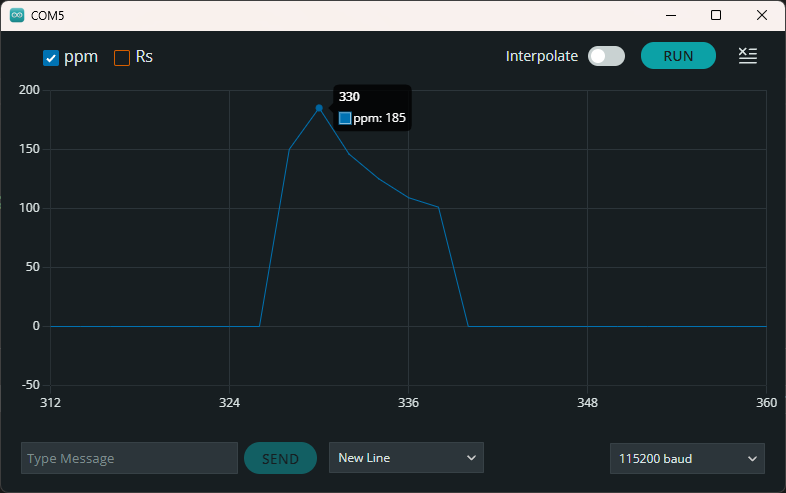
Influence of temperature and humidity on MQ gas sensors

 Posted by:   Posted on:    2 comments

I dedicated some of my previous posts to MQ gas sensors. These devices are cheap and can be bought on PCB modules, which implement a simple comparator circuit in order to provide a digital output. However, the usability of these modules is rather limited, knowing that some of the sensors from MQ family require variable heater voltage. More than this, at power-up the resistance of the sensor is low until the heater reaches working temperature, therefore the comparator output of a sensor module will trigger a false alarm.

Although this is not an important limitation, the modules do not take into account the variation of sensor resistance based on environment temperature and humidity. To do this, a microcontroller must sample the sensor resistance through an ADC and estimate gas concentration. This post continues a previous one in which I estimated gas ppm after extracting sensitivity data from datasheet graphs. However...

Influence of temperature and humidity on MQ gas sensors

Compute ppm of MQ sensors from datasheet graphs

 Posted by:   Posted on:    No comments

I tried to connect some of the gas sensor modules I have bought over time to Arduino. Unfortunately, I discovered these modules were not designed properly and require some modifications in order to power sensors according to datasheet specifications. I am using an MQ-2 type sensor for this test and all of the following estimations will be specific for this type of sensor. You can use the same approach to read and process analog input of any of the other sensors from MQ family.

You won't find in any of the available datasheets a direct, clear formula to approximate ppm of a gas based on the sensor resistance. But there are some sensitivity graphs which we can use to find a correlation. To make things even more complicated, for MQ-2 there are two datasheets available, from different manufacturers, with different sensitivity data.

Compute ppm of MQ sensors from datasheet graphs

Compile SPLAT! RF coverage software on 64-bit Windows

 Posted by:   Posted on:    5 comments

SPLAT! is a cross-platform, open-source software that can be used to analyse a radio link between two locations and to generate coverage maps of RF transmitters. Coverage maps are calculated using Longley-Rice Irregular Terrain Model (ITM) algorithm. SPLAT! can predict RF coverage for any frequencies between 20 MHz and 20 GHz. It is thus useful for ham radio, broadcast radio, terrestrial television and wireless networks. Although it is cross-platform, up-to-date binaries for Windows are hard to find. On the other hand, for Linux users, it is available in the repositories of the major distributions.

I wrote in a previous post about SPLAT! and how to compile it with MinGW. At that time, the compiler package I used was only available for 32-bit architecture. Since most systems are now 64-bit, I had to use a different compiler package to get 64-bit SPLAT! binaries. Here is the good news: you can either follow this tutorial or you can jump to the end of this post and grab the precompiled binaries (SPLAT! is licensed under GPL v2).

Compile SPLAT! RF coverage software on 64-bit Windows

Program "blue pill" with STM32 Cores in Arduino IDE

 Posted by:   Posted on:    5 comments

Back when I wrote Set up STM32 "blue pill" for Arduino IDE I found two Arduino Boards packages for STM32. I didn't know at that time what were the differences between them and that post uses the STM32 package developed by Roger Clark. In fact, that one originates from libmaple which was first developed by LeafLabs for their Maple boards. The library was written in 2012 and it is no longer under active development.

I consider STM32duino to be a better alternative now, since it is actively developed by STMicroelectronics and uses as backend recent versions of STM32 libraries (LL, HAL). More than that it has support for multiple cores and boards including, but not limited to, official evaluation boards, 3D printer boards and flight controllers. To be able to use it you need a board and a programmer, Arduino IDE and STM32CubeProgramer. Fortunately the required software is cross-platform so you can code for STM32 on any platform. In this post I'll show you how to install the required software and how to upload sketches to STM32 "blue pill".

Program blue pill with STM32 Cores in Arduino IDE

Install Oracle Java on Linux Ubuntu

 Posted by:   Posted on:    1 comment

Java is a cross-platform development platform used by many applications. If you want to run Java based applications, you must install a runtime. Java is developed by Oracle. There are two packages: JDK (Java Development Kit) and JRE (Java Runtime Environment). While the first is needed to develop Java applications, for running them you need the runtime.

Due to licensing, on Linux you have the possibility to install only OpenJDK from software repositories. That is an open source GPL licensed JDK edition. Well, I had this one installed (package openjdk-8-jre) on Ubuntu and I was facing some problems. JabRef, a references manager application, wouldn't run. Initially I thought there is something wrong with the current release. Later I installed (the GUI installer worked) STM32CubeProgrammer, a programming utility for STM32 microcontrollers. Neither this one would launch.

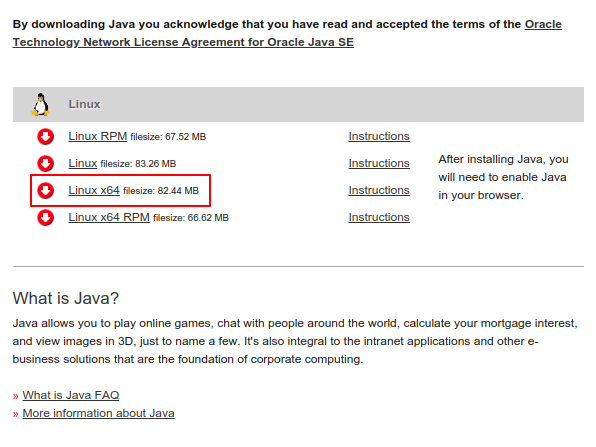
Java JRE Download page for Linux

Java Runtime Download page for Linux

Upload files from Arduino IDE to ESP SPIFFS

 Posted by:   Posted on:    2 comments

ESP8266 and ESP32 development boards have SPI flash memory used mainly for program storage. But, if there is enough space, the flash memory can be "partitioned" and used for other purposes. Making a SPIFFS (SPI Flash Filesystem) partition has some advantages. Even though file system is stored on the same flash chip as the program, programming new sketch will not modify file system contents. Since ESP development boards have WiFi connectivity it's easy to think of something useful to do with SPIFFS. For example a web server can store images, scripts, styles and even HTML files that will be used to create the web interface. Another usage would be to create a data log that can be downloaded via a web interface.

Obviously SPIFFS data can be read/written from other interfaces, including serial monitor. If you're developing a web server on ESP8266/ESP32 you'll want an easy way to upload server files to SPIFFS. Fortunately, there are plugins for Arduino IDE that handle this process. We will see how to do this and then check for the existence of files on the SPIFFS partition.

Upload files from Arduino IDE to ESP SPIFFS

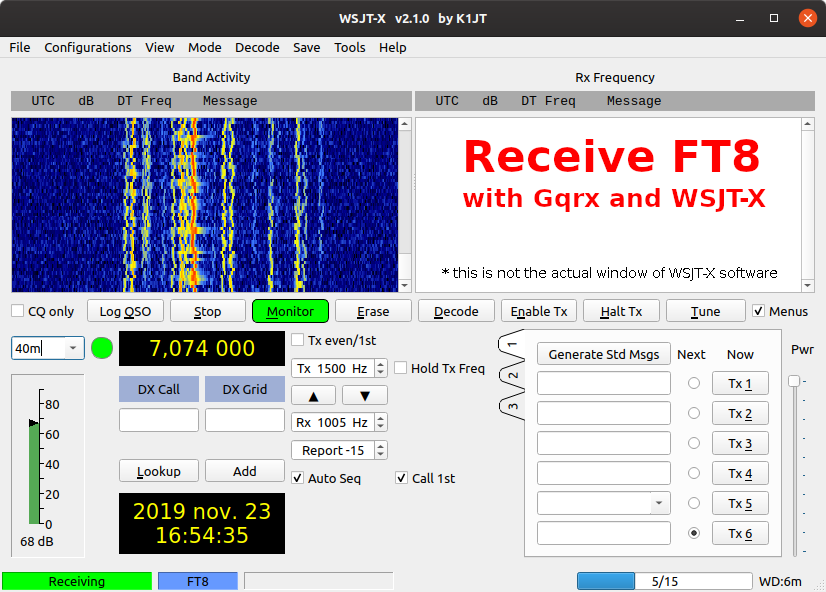
Receive FT8 with WSJT-X and Gqrx (Linux)

 Posted by:   Posted on:    6 comments

FT8 has become the most popular data mode for ham radio. It is a digital mode created by Joe Taylor, K1JT and Steve Franke, K9AN which uses 8-FSK modulation. A transmission lasts for exactly 12.64 seconds and occupies about 50 Hz bandwidth (8 tones at 6.25 Hz spacing). FT8 works very well even with a lot of noise and it is simple to receive and transmit using the computer soundcard and SSB transceiver.

This post will focus on receiving only. We'll decode FT8 messages using HackRF hardware with software defined radio (SDR) application. However, SDR tools come with support for common analog modulation. For FT8 decoding and generation there is WSJT-X software, but this one accepts only audio input. So, I'll be using a SDR application (Gqrx) set to SSB (upper side band) demodulation and I will pipe its audio output to WSJT-X. The latter can be configured to automatically set the frequency of the SDR software. Besides configuration, a virtual audio cable is needed.

Receive FT8 with WSJT-X and RTL-SDR

Hardware serial port communication sniffer

 Posted by:   Posted on:    No comments

A serial port complying with the RS-232 standard was once a standard feature of many types of computers. Today, RS-232 has mostly been replaced in personal computers by USB for local communications which allows for faster speeds and is easier to connect and use. Despite this, the protocol used by RS-232 is still in use today, on various devices, ranging from microcontrollers to embedded systems and even computers. The original voltage levels (ranging from -15 to +15 V) have been replaced with platform specific levels (from 0 to 2.5 V, 3.3 V or 5 V). The serial port is no longer found in its original shape and pinout. Nowadays, mostly Rx and Tx signal lines are used.

There are times when serial communication needs debugging. You may use a logic analyzer to check the bitstream and determine its baudrate and if that's present, the next step is to view or record what's being sent over the port. The sniffer I will show you here is able to intercept serial communication and disable Tx lines in order to inject its own data. Since most modern devices do not use auxiliary lines, the circuit shown here is able to monitor only a single pair of Rx and Tx lines.

Hardware serial port communication monitor

Receive FT8 with WSJT-X and SDRSharp (Windows)

 Posted by:   Posted on:    No comments

FT8 has become the most popular data mode for ham radio. It is a digital mode created by Joe Taylor, K1JT and Steve Franke, K9AN which uses 8-FSK modulation. A transmission lasts for exactly 12.64 seconds and occupies about 50 Hz bandwidth (8 tones at 6.25 Hz spacing). FT8 works very well even with a lot of noise and it is simple to receive and transmit using the computer soundcard and SSB transceiver.

This post will focus on receiving only. We'll decode FT8 messages using Realtek RTL2832U hardware with software defined radio (SDR) application. However, SDR tools come with support for common analog modulation. For FT8 decoding and generation there is WSJT-X software, but this one accepts only audio input. So, I'll be using a SDR application (SDR# on Windows, Gqrx on Linux) set to SSB (upper side band) demodulation and I will pipe its audio output to WSJT-X. The latter can be configured to automatically set the frequency of the SDR software. Besides configuration, a virtual audio cable is needed, as well as virtual serial ports (on Windows only).

Receive FT8 with WSJT-X and RTL-SDR

Lightweight ACARS decoders for RTL-SDR

 Posted by:   Posted on:    No comments
ACARS is a digital data link system for the transmission of messages between aircraft and ground stations. The transmissions usually take place in VHF band, between 130 and 137 MHz. The wide availability of cheap software defined radios makes it easy for anyone to receive and decode ACARS transmissions. Since RTL2832U based USB sticks are the cheapest SDR hardware this is what I will use for reception. There are many tutorials on this subject and most of them involve piping an audio stream from a SDR application to an ACARS decoder application. This is not reliable and takes a lot of resources. More than that, by selecting one frequency, demodulating it and sending the audio stream to ACARS decoder software you are limited to that single frequency.

But there are a few tools that work directly with RTL-SDR hardware, are free, cross-platform and perform ACARS demodulation. More important than that, the software tools you will see here can listen to multiple frequencies at once. The only requirement is that those frequencies should fit in the bandwidth of RTL-SDR (about 2.4 MHz).

Lightweight ACARS decoders for RTL-SDR

PonyProg release 3.0 comes with modern UI

 Posted by:   Posted on:    2 comments
PonyProg is a software application that can read, write and program various memory chips and microcontrollers using the simplest possible interface: a serial port adapter. This adapter consist of only some resistors and some voltage limiting zener diodes. However, this approach has a big downside nowadays. It doesn't work with USB to serial converters. And computers with a real serial port are becoming very rare.

If you still have an older computer with a motherboard serial port, you may take into consideration building the serial adapter used by PonyProg, because it is easy to build and probably the cheapest programmer possible. The schematic of the interface can be found at the author's page (SI-Prog by Claudio Lanconelli).

Currently, PonyProg only support SI-Prog or other serial based programmers and some parallel port programmers. With serial port, it communicates by bit-banging various protocols to the signaling lines contained in the RS232 interface (RTS, CTR and DTR). It would be nice if a future version would support the modern USB based programmers (like the CH341A MiniProgrammer) which lack a good software.

PonyProg release 3.0 comes with modern UI
PonyProg 3.0 main window after reading an I2C EEPROM

FM Radio Player for RTL2832U sticks

 Posted by:   Posted on:    14 comments
USB TV sticks using RTL2832U chip are well known for their ability to send raw samples to USB host. This makes it possible to process various signals in software (SDR). There are many software tools for this purpose and most of them can demodulate also FM radio, with stereo and RDS support.

The problem is that these applications have full featured SDR abilities, with spectrum analysis and waterfall display. This makes them not at all lightweight. I've been looking quite hard for a simple FM radio player for my RTL-SDR dongle.

Some of the RTL2832U dongles come with FM capable player on the CD. Unfortunately not all. After some searching I was able to find a simple tool that demodulates FM stereo signal and displays RDS data. The application was most probably a test tool designed by Realtek to illustrate features of RTL2832U.
FM Radio Player for RL2832U sticks

Using Magix USB-Videowandler 2 on Linux

 Posted by:   Posted on:    11 comments
Videowandler 2 is an USB analog video capture card. There is no official driver support for Linux and the device does not work when you plug it in. According to lsusb, the device is Afatech, which is totally wrong. The kernel only loads modules for USB audio - and this is the only thing that works (the audio input appears as a separate sound card).

Videowandler 2 is based on eMPIA 2861 USB chip. Video conversion is done by SAA7113 and audio conversion by EMP202. The IDs of the device are 1B80:E349. When opening the case, you may find printed on the board UB317 Ver:A or UB315 Ver:C. The latter my be identical to Kworld UB315 but I’m not sure.

Magix USB-Videowandler 2 board. Photo by Christian Enders.

Generate good looking PCB artwork from KiCAD

 Posted by:   Posted on:    3 comments

KiCAD is probably the most complete opensource EDA suite. It comes with a schematic editor, a PCB designer and a 3D viewer. PCB designs can be exported to multiple formats or printed directly from the software. Although the plotting (printing) options are quite advanced, there aren't options for overlaying different layers with different colors.

This tutorial will show you how to create PCB artwork that looks good on display or print and that is intended only as a guide to the reader, not as a source for manufacturing PCB. The result will be a greenish PCB (or any color you want) with silkscreen on top of it. This is probably something you already seen in electronics publications.

There are many ways of doing this. All you need to start are the PDF files plotted by KiCAD and some image editing software (I prefer opensource tools: GIMP or some ImageMagick scripting).

Generate good looking PCB artwork from KiCAD

QSS syntax highlight in Qt Creator

 Posted by:   Posted on:    1 comment

Qt Creator is the IDE (integrated development environment) used by Qt SDK. It is a powerful piece of software that runs on Linux, Windows and macOS. Qt SDK is able to style built applications using QSS styles, something similar to CSS standard.

Qt Creator supports not only C/C++ syntax highlighting, but basically any language through Kate Editor Syntax Highlighting files. These are XML files that define lists of specific keywords. In this way, the Text Editor of Qt Creator is able to style these keywords using a color scheme.

Qt Creator doesn't have a default QSS syntax highlight configuration file. And neither Kate. But there are two ways to add QSS syntax highlighting to Qt Creator.

QSS syntax highlight in Qt Creator

Generate radio coverage maps with SPLAT!

 Posted by:   Posted on:    No comments

SPLAT! is a cross-platform, open-source software that can be used to analyze a radio link between two locations and to generate coverage maps of RF transmitters. Coverage maps are calculated using Longley-Rice Irregular Terrain Model (ITM) algorithm. SPLAT! can predict RF coverage for any frequencies between 20 MHz and 20 GHz. It is thus useful for ham radio, broadcast radio, terrestrial television and wireless networks.

To use SPLAT!, you need to know some parameters of the transmitter. These are the exact location (coordinates), antenna height, transmission frequency, polarization and effective radiated power (ERP). SPLAT! can then compute coverage maps. The procedure of installing SPLAT! is described in a previous article. You can generate two kind of maps. There is the regional coverage analysis mode that will output line-of-sight coverage map assuming all waves propagate in a straight line. There is also the path loss analysis mode that uses the ITM algorithm to compute either a field strength map or a received signal strength map.

Install Sky Digital Key (AverMedia A867) on PC

 Posted by:   Posted on:    5 comments
Sky Digital Key is an USB DVB-T tuner designed to be used with this provider's satellite receivers. There are two variants, one with green LED and the other with blue LED, the last being an AverMedia device with Maxlinear MxL5007T tuner and Afatech AF9035 USB demodulator.

The DVB-T key can be installed on PC too. However the driver installation is not quite straightforward. The device is a copy of AverMedia AverTV Volar HD Nano with two small differences: there is no remote control sensor on Sky key although the PCB has the pads for it and USB IDs are different for the two devices. This aspect makes drivers installation difficult.

This article will describe the installation procedure on Linux and Windows. The USB tuner can be used to receive DVB-T signals with BDA compatible software on Windows (such as ProgDVB) and Kaffeine on Linux.

Install Sky Digital Key (AverMedia A867) on PC
AverMedia A867 - Sky Digital Key

Show last updated date in Blogger posts

 Posted by:   Posted on:    9 comments
Although this is not the kind of post for this blog, I decided to write about this because there are opinions saying it is impossible to show updated date in Blogger posts. Blogger offers support only for the date when a post is published. You can, of course, edit the post and change published date, but that is not what most people want.
The method that follows is completely automatic and it will print the last date when you used the post editor on the specific post. It makes use of data stored in blog feed, because, although there is no tag for updated date in Blogger (something similar to published date tag data:post.timestamp), the updated date is stored in your blog feed. I first noticed this when I registered my blog on Tapatalk and noticed that updated posts appeared on top of the list.
Show last updated date in Blogger posts

Radio link analysis using SPLAT!

 Posted by:   Posted on:    No comments
SPLAT! is a cross-platform, open-source software that can be used to analyze a radio link between two locations and to generate coverage maps of RF transmitters. Coverage maps are calculated using Longley-Rice Irregular Terrain Model (ITM) algorithm. SPLAT! can predict RF coverage for any frequencies between 20 MHz and 20 GHz. It is thus useful for ham radio, broadcast radio, terrestrial television and wireless networks.

To use SPLAT!, you need to know some parameters of the transmitter. These are the exact location (coordinates), antenna height, transmission frequency, polarization and effective radiated power (ERP). SPLAT! can then calculate both path loss and received signal strength.

The procedure of installing SPLAT! is described in a previous article. The point-to-point analysis calculates some useful parameters like: azimuth and elevation of receiving antenna, distance to transmitter, mode of propagation, received signal strength and density. You must also supply a receiver parameters file to SPLAT!. This will contain the location, antenna height and some other terrain parameters. SPLAT! will generate a report and a graph if you have Gnuplot installed.

SPLAT! height profile graph